Claude
Designing for context management in large language models.

Product Strategy
Prototyping
overview
How might we help users manage context they share with LLMs
As a team of product designers & PMs we spent a semester exploring fundamental usability challenges within Large Language Models & AI interfaces.
Product Research & Synthesis
Understanding how users currently share and manage context with LLMs
Ideation & Prototyping
Going wide in ideation and rapidly testing concepts with users.
Iterating with Feedback & Validation
Continuously iterating on concepts and validating product decisions.
the problem
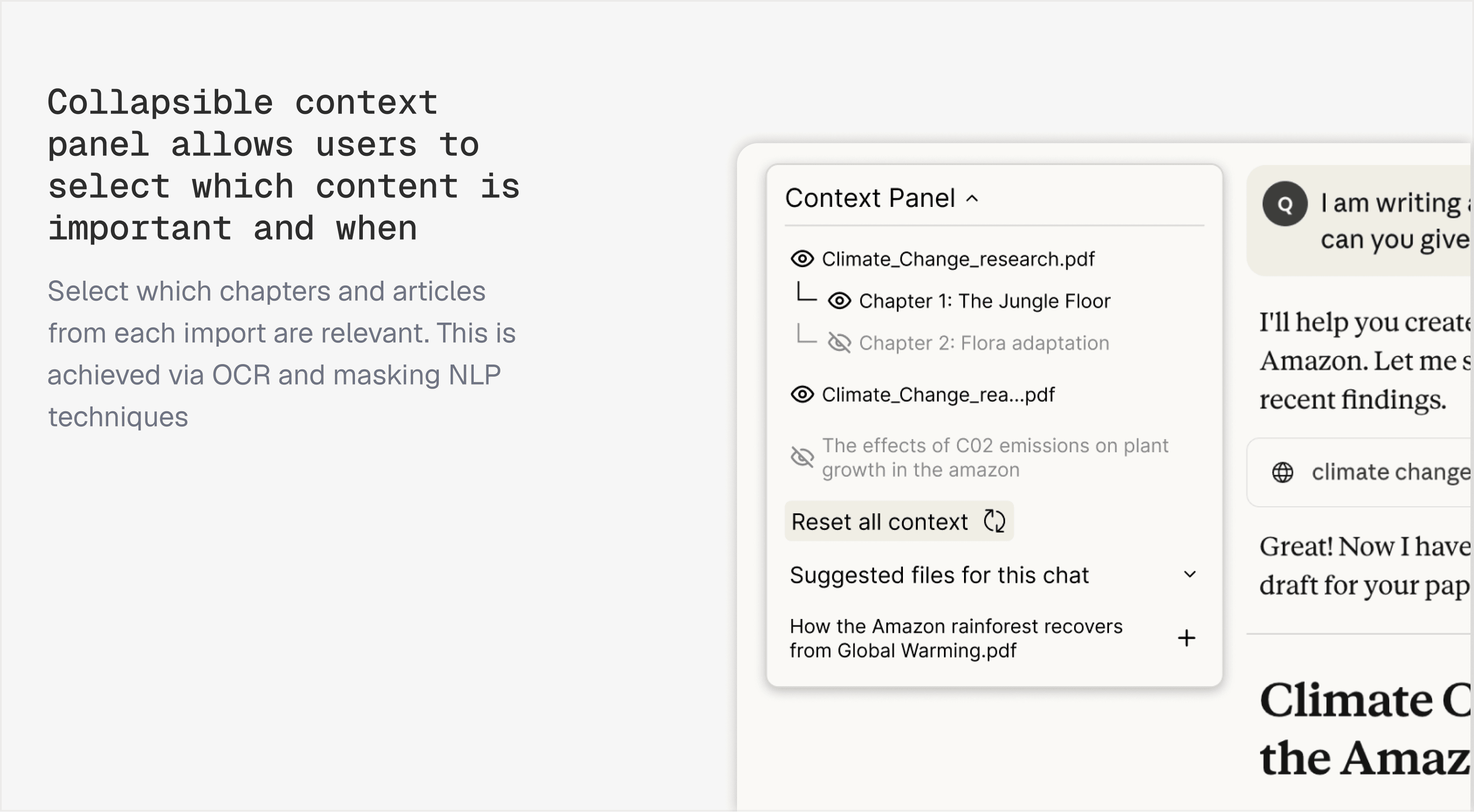
AI outputs depend heavily on user-provided context but users have almost no control over it
I noticed people creating dozens of separate chats for the same project. When I asked why, they said it was the only way to reset what the AI remembered.
This breaks the fundamental contract of deterministic software. When I click "save" in Word, I know what saved. When I upload a file to Claude, I have no idea what it's remembering or how long it will remember it, or even when it gets referenced.
opportunity
Through a competitive analysis I noticed there was no consumer ready solutions that managed context well
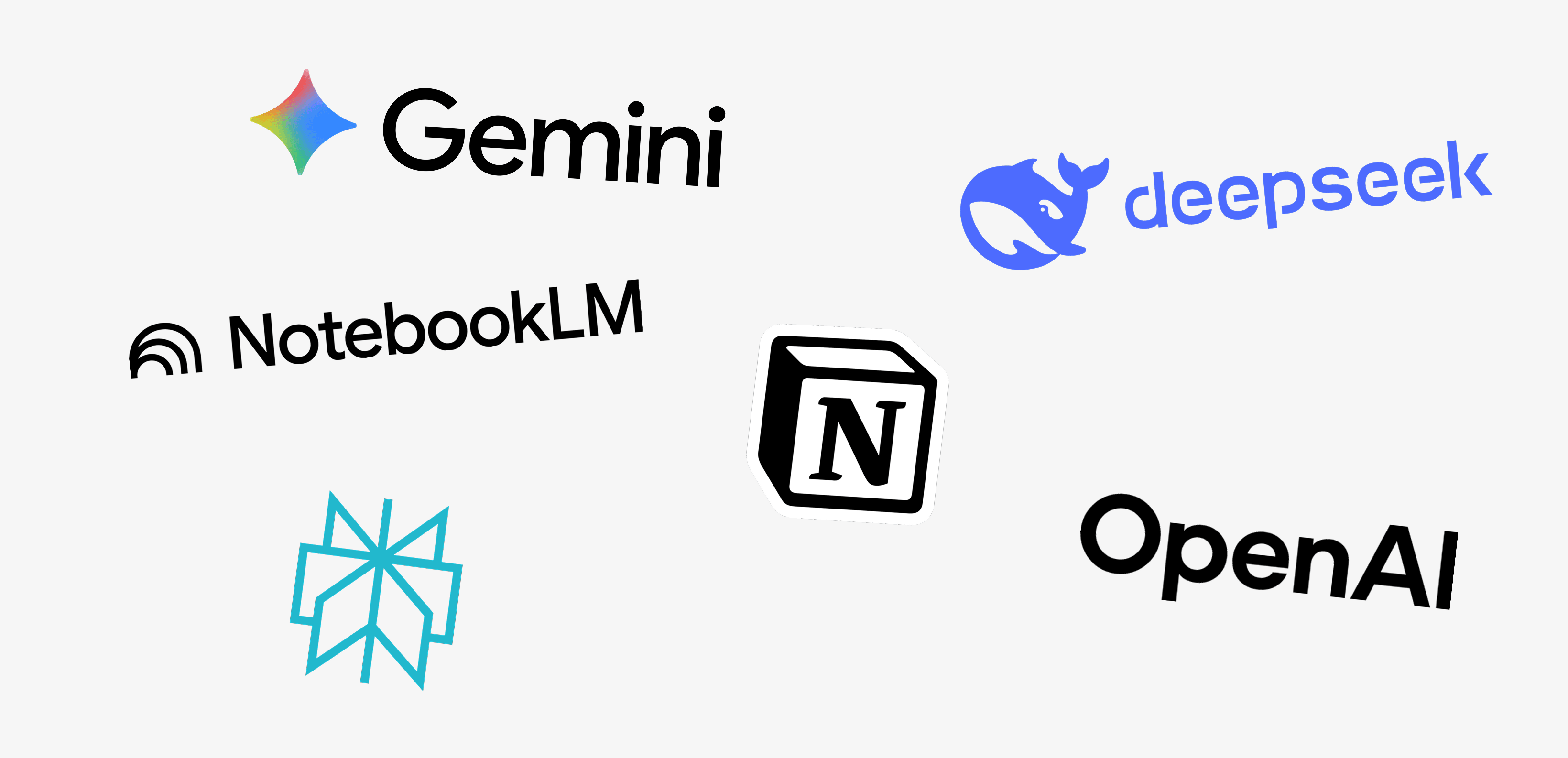
No consumer-ready solutions streamline context sharing and management in a single, accessible experience. Some competitors leverage powerful context-sharing protocols like MCP, but require additional technical implementation that puts them out of reach for most users.
Others build “out of the box” applications, but these don't connect context across products and platforms, leaving users siloed. This represented a significant design opportunity: build a context management system that is both powerful and accessible to everyday AI users.
our solution (for now, AI moves really fast)
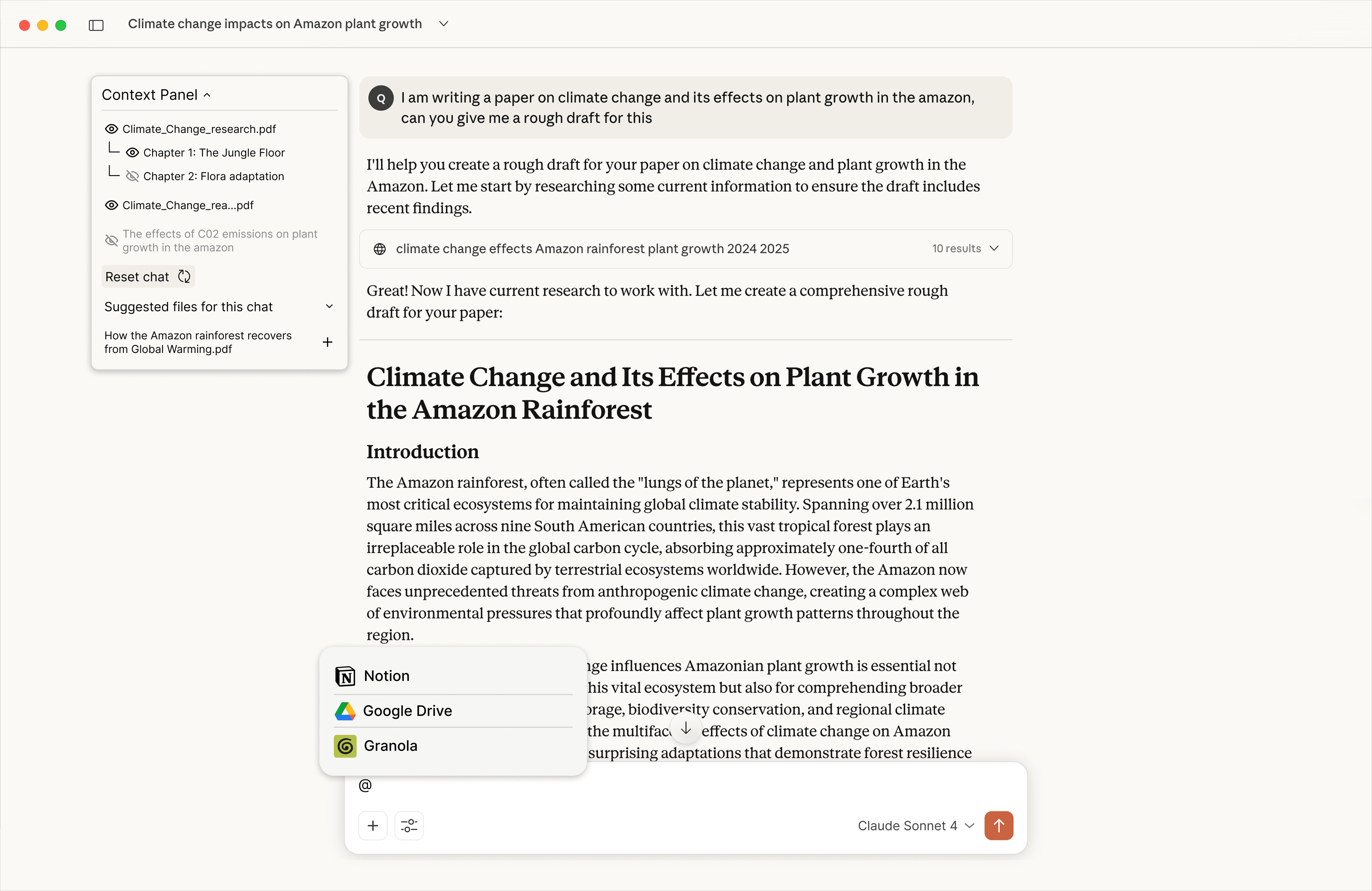
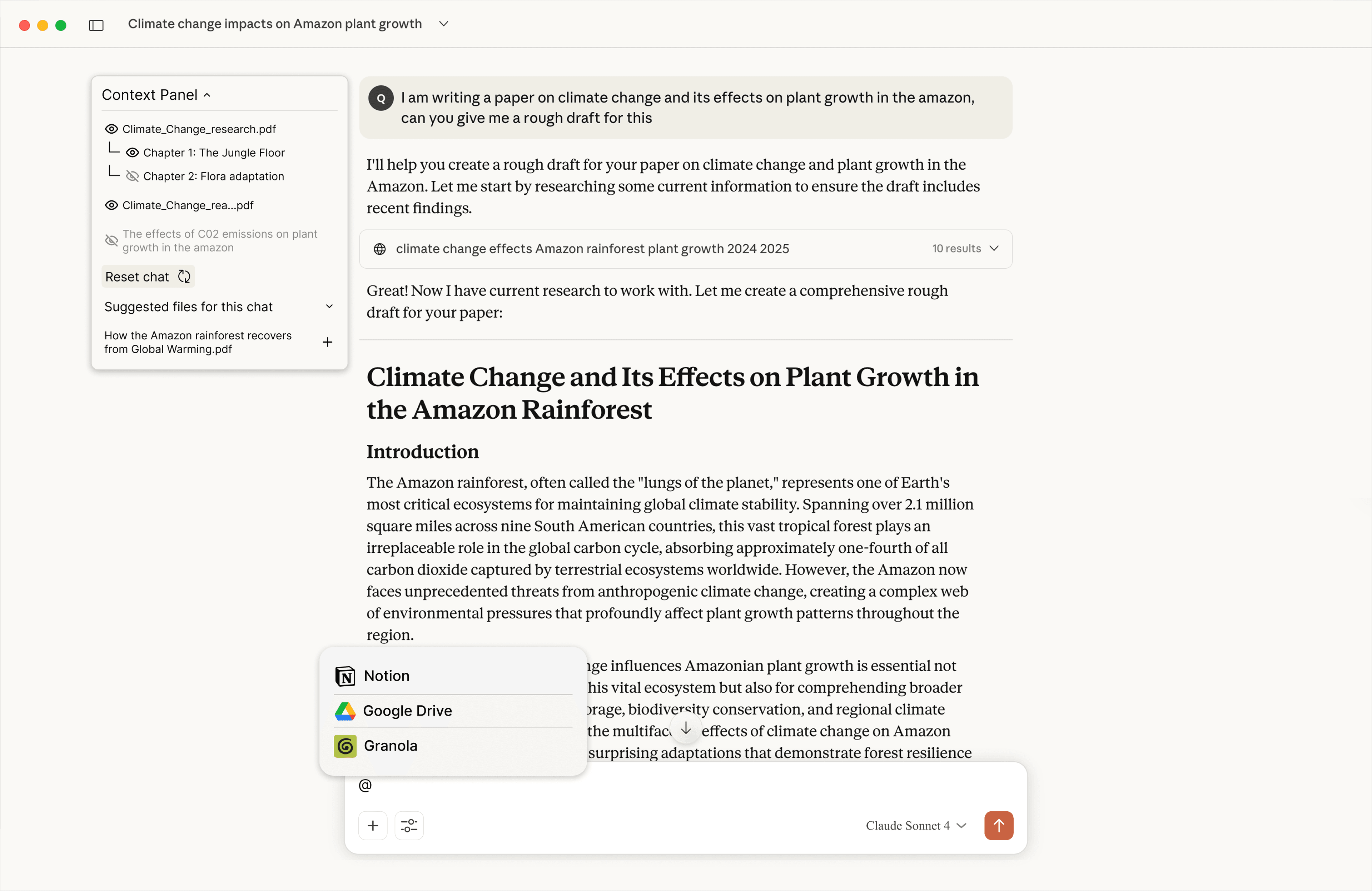
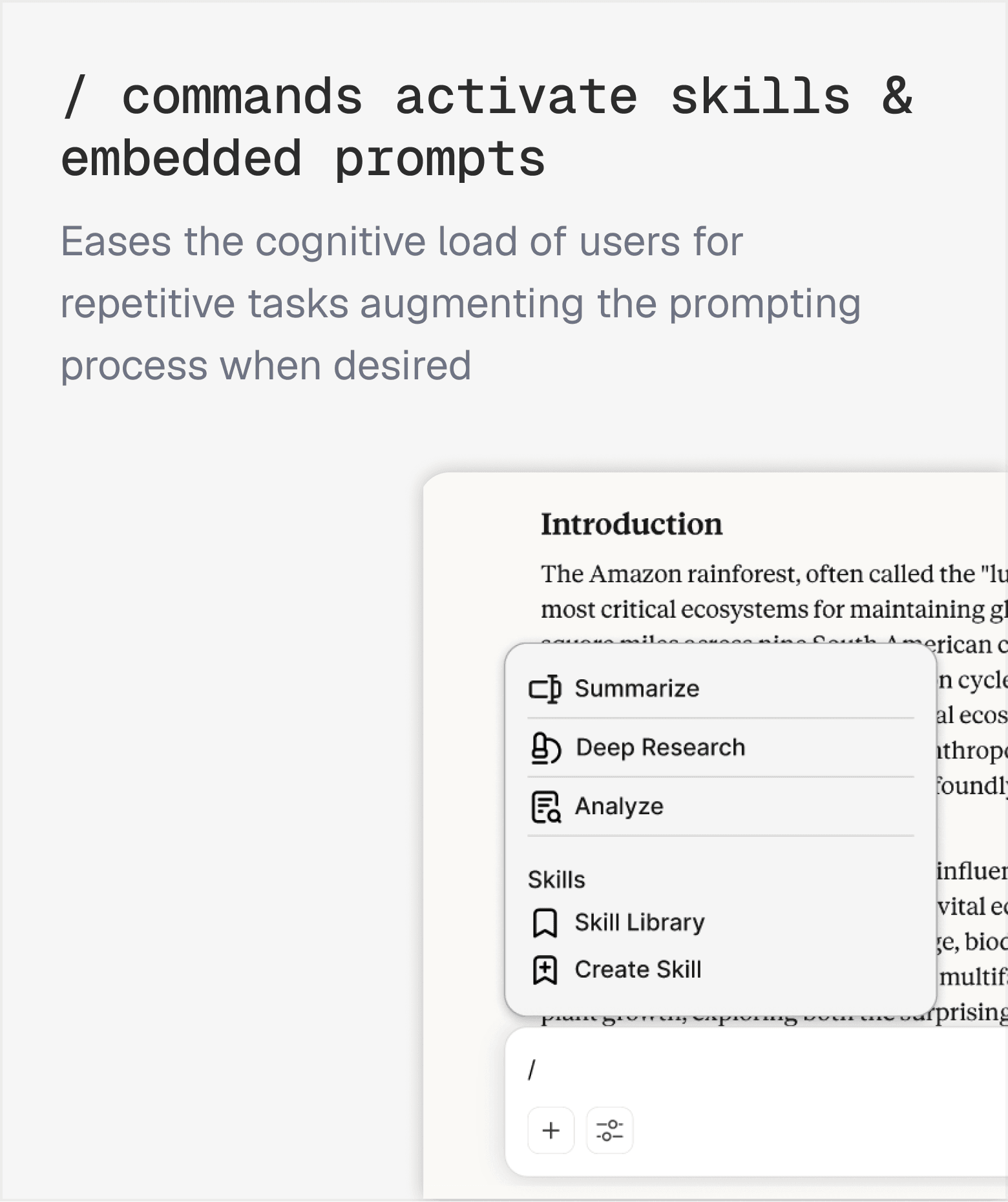
I brought context management to the forefront of Claude's interface & added in-line commands to aid the user journey from import to execution
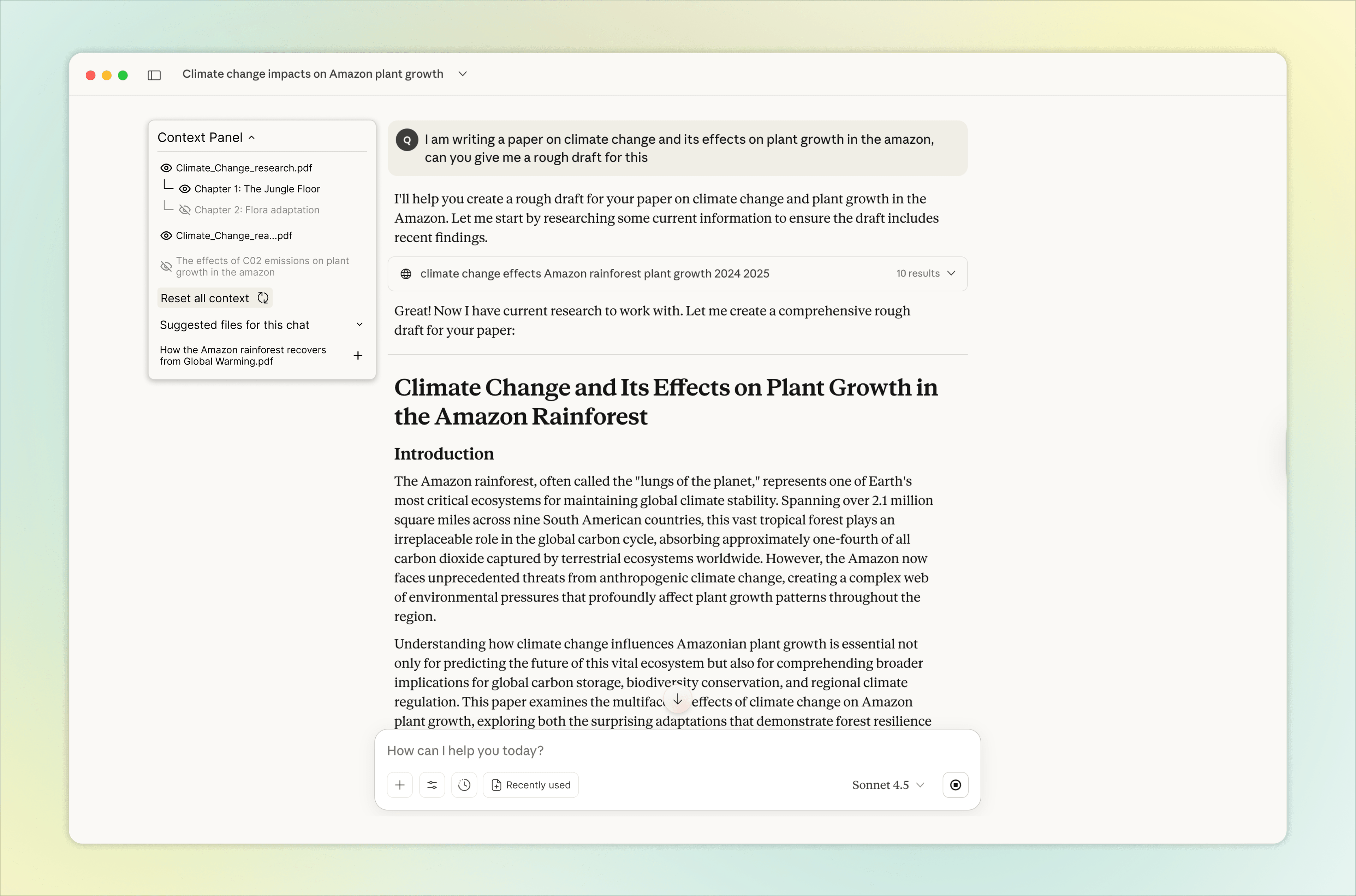
Our final design combines two complementary features built into the Claude interface: a Context Panel for managing what the model references, and In-line Commands for accelerating repetitive tasks and pulling in context from other applications.
user research
Understanding how people actually share context with AI
We started with desk research to map the landscape of AI context — defining the context window, context materials (chat history, system instructions, external data, project memory), and the interaction patterns users rely on today.
Sometimes I've had to copy and paste the exact same thing, going back and forth multiple times.
A.L.
Graduate Student @ UC Berkeley
I turned off the setting that has memories from previous chats, I don't like how the memory and history affects my future chats because I don't know what it takes into account.
K.M.
Graduate Student @ UC Berkeley
Users struggle to capture relevant information
from their workspace without repeated copy and paste between applications and chat windows.
There is a lack of transparency
regarding what the AI tool knows or is referencing at any given point in a conversation.
Context gets lost across conversations
forcing users to restart or re-explain their projects, preferences, and prior decisions every time they open a new chat.
conceptualization & testing
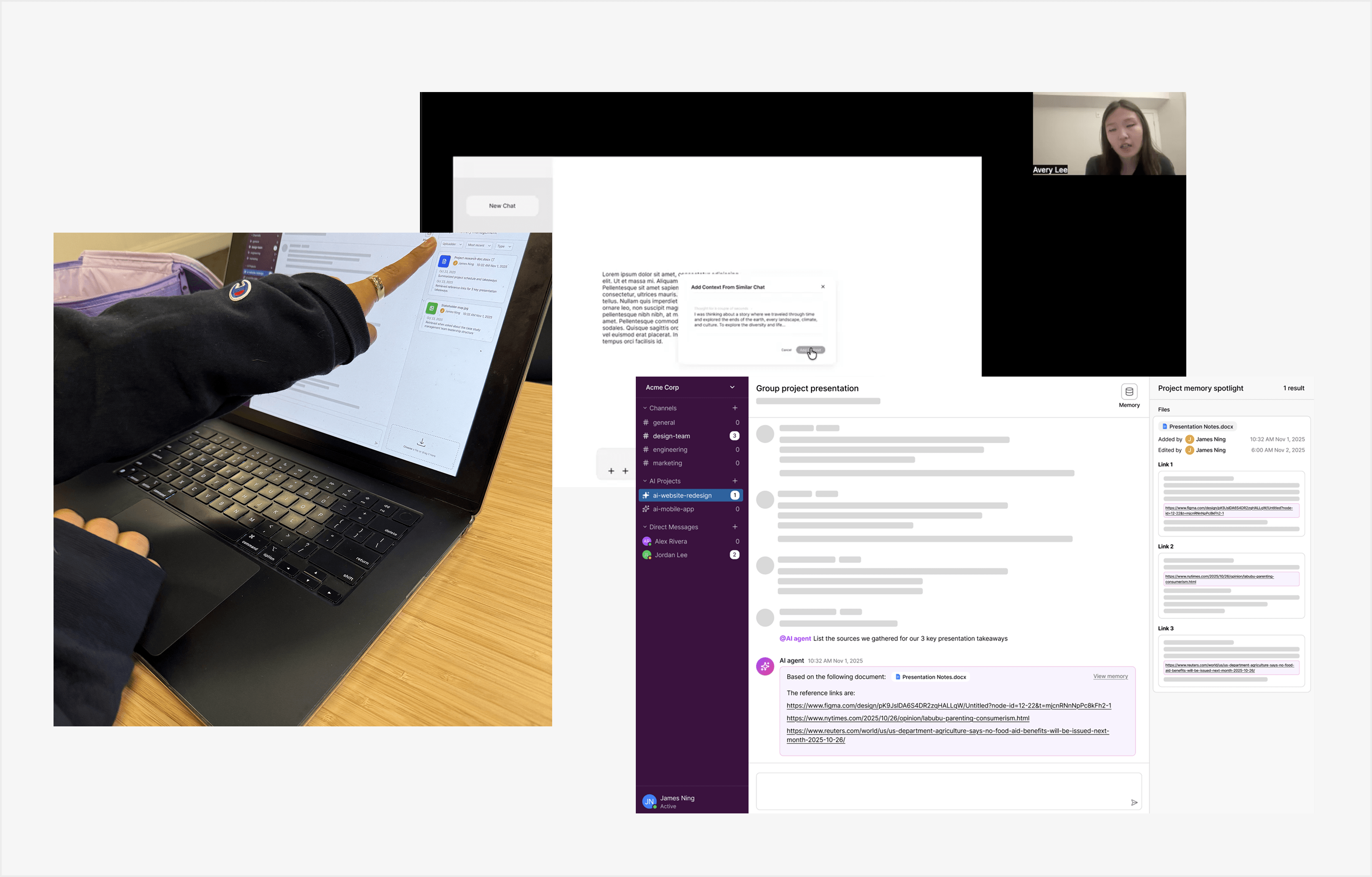
To tackle user issues we came up with 3 ideas
Context Control Panel
Give the users a way to control what the model references at any time as layers
In-line Commands (e.g. Slack Style)
Allow the user to use pre-embedded prompts & import context from previous interactions
Collaborative AI for Teams
Allow team chats with the LLM to create a shared context pool
what we discovered
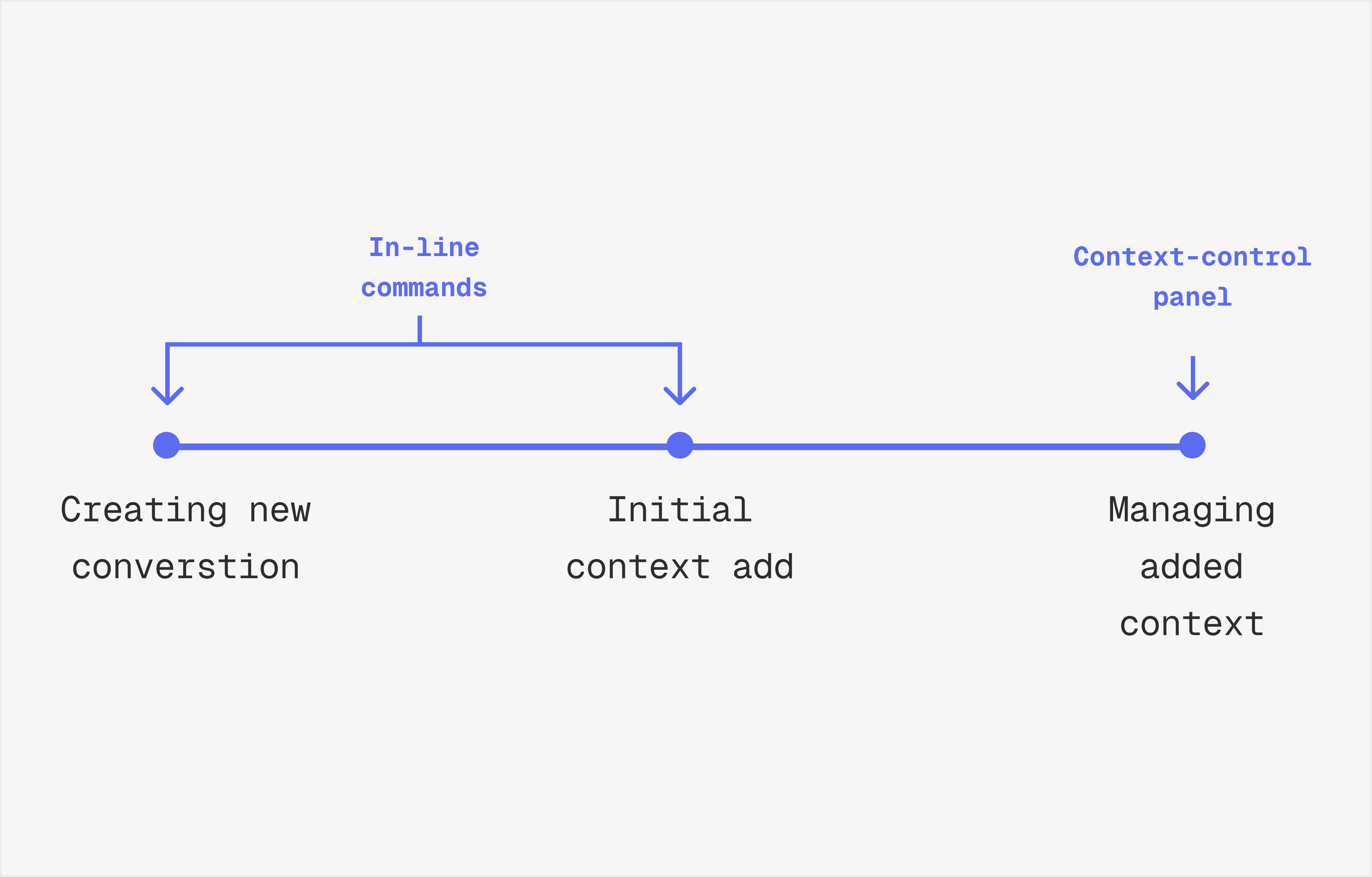
Context is the through-line behind every interaction. By combining the context control and in-line commands we can serve the user through the whole process
Our final design combines two complementary features built into the Claude interface: a Context Panel for managing what the model references, and In-line Commands for accelerating repetitive tasks and pulling in context from other applications.
final designs
I combined the context panel & in-line commands to serve the user across the entire journey
features
independent validation
Identifying real friction in the right place
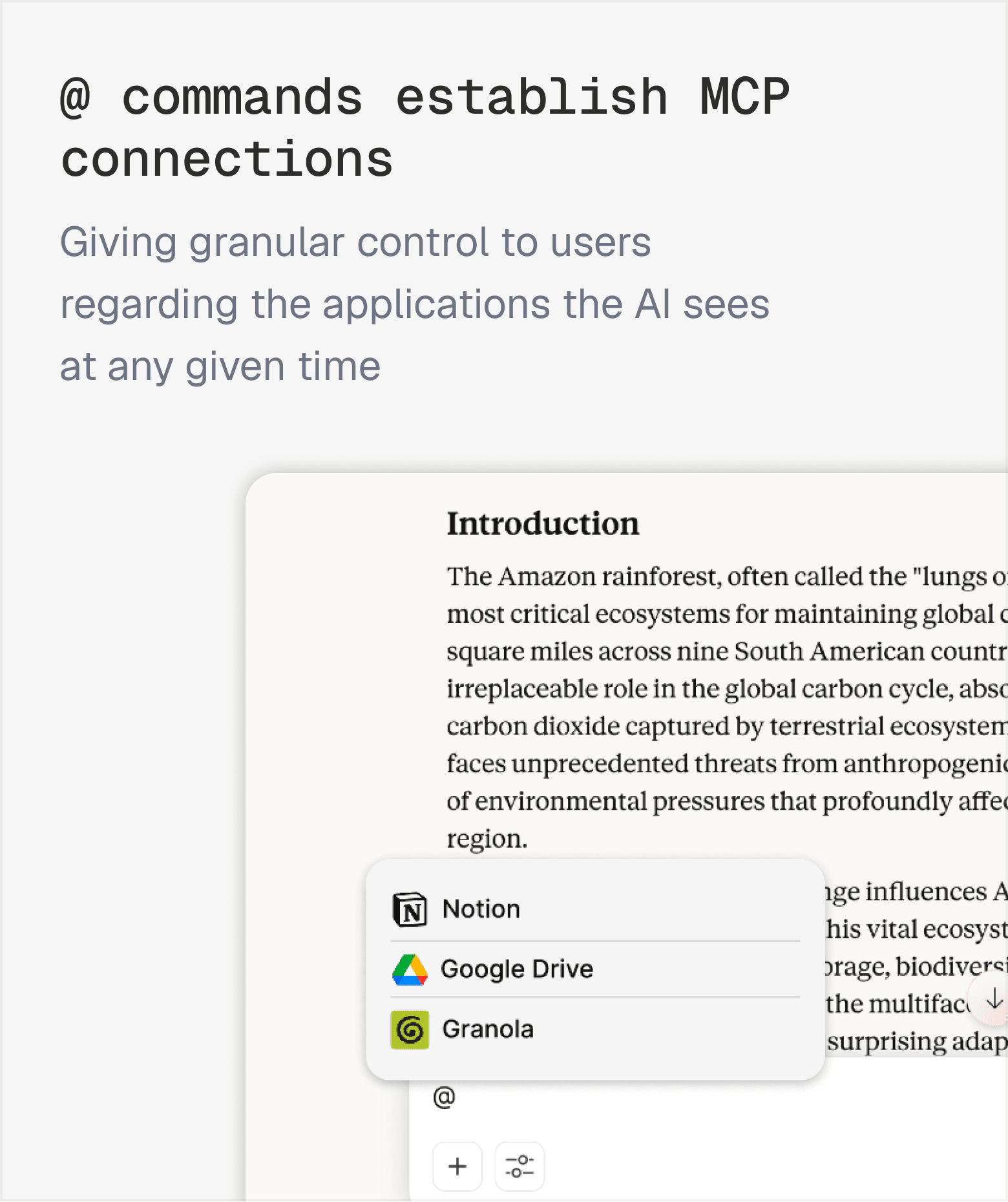
While this project was independent and unaffiliated with Anthropic, the team arrived at in-line commands as a solution through our own user research. Anthropic shipped a similar / command feature shortly after — a signal that we were identifying real friction in the right place.
reflection
What I learned
Context management is a journey, not a feature. The most important thing this project taught me is that the user's relationship with context changes throughout a conversation.
Designing for a single moment — like the initial prompt or mid-conversation adjustment — misses the full picture. The strongest solution addressed the entire flow.
Designing for AI requires new interaction paradigms. AI tools are rapidly changing with many open-ended use cases, leading to a wide range of user behaviors. There's no single “right” way people use these tools, which makes designing for them both challenging and fascinating.
Features are constrained by model capabilities. The effectiveness of many potential features are still fundamentally limited by what LLMs can actually do today. Designing for AI means understanding both the user's needs and the technology's current boundaries.